Get notified when this product is back in stock.
Key Feature
• Small Display Format - Suits a compact equipment interface.
• SOC Indication - Read battery charge status at the system.
• TDT Accessory - Select for an approved BMS pairing.
• Local Status Point - Keep routine battery information accessible.
• Variant-Specific Selection - Distinct from the larger TDT screens.
₹460.00
Get notified when this product is back in stock.
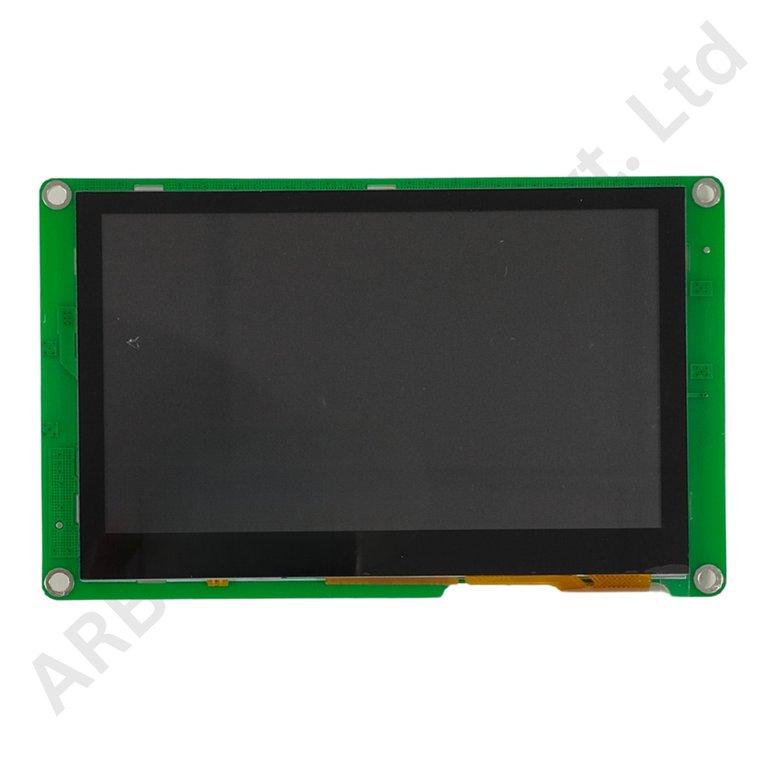
TDT Small Battery SOC Display
The TDT Small Battery SOC Display is a compact local charge-status accessory for a compatible TDT battery-management system. It is a separate size option from the catalogue's 4.3-inch and 7-inch TDT displays.
A small display can be considered when the main requirement is a visible charge indication and panel space must also accommodate switches, connectors or other equipment controls. Selecting the readout with the battery enclosure helps define a clear user interface without assuming the features of a larger screen.
A BMS-linked SOC indication presents the battery-management system's charge estimate. The screen is not a charger, a cell balancer or a substitute for the battery's protection board. Its useful role is to make supported battery information available at the equipment's normal operating position.
The small designation is not an electrical or communication specification. Screen diagonal, supply voltage, connector functions and available pages must be identified from the actual unit. A TDT BMS family can support several accessories without making every display interchangeable or giving a small display all the functions of a larger touch interface.
Confirm the exact TDT board and display model and the supported communication arrangement. Distinguish a dedicated display connection from inverter, computer or parallel-system ports. A familiar communication name on the BMS does not prove that the screen supports every protocol carried by that interface.
Plan the panel opening and rear clearance using the unit's mounting information. The word small is not a substitute for measured dimensions. For a replacement, compare the original unit's label, housing and harness before selecting the part. Keep this compact display as its own line item in the assembly record rather than combining it with the larger TDT screens.
Applications
• Compact battery interfaces with a verified TDT BMS pairing.
• Local charge-status readouts on compatible equipment.
• Replacement of an identified equivalent small TDT screen.
• Battery-box development requiring a compact viewing point.
• Assembly checks of display communication before enclosure closure.
Installation Guide
Mount the display and prepare its connections with the battery isolated. Use the approved wiring instructions for the selected model, keeping power and signal functions distinct. Protect accessory wiring from abrasion and from accidental contact with high-current battery conductors.
After commissioning, compare the displayed SOC with the BMS and confirm normal updating. Check the documented behaviour after a restart and during any supported sleep state. A missing indication can be a display-power or communication issue and should not automatically be treated as a discharged battery. Record the screen and BMS identifiers, cable arrangement and expected operator behaviour so that future maintenance can be carried out against a clear reference.
Why Choose ARB Accessories?
ARB Accessories brings TDT battery-management accessories together with wiring, connectors and other lithium-battery components. Share your BMS model, required screen size and case preference when enquiring. A coordinated specification helps battery assemblers and energy-storage integrators select the display around the electrical system and enclosure, rather than making an assumption from screen size alone.
Product overview
TDT Small Battery SOC Display The TDT Small Battery SOC Display is a compact local charge-status accessory for a compatible TDT battery-management system.
- SKU
- 26000580
- Category
- Battery SOC Display
- Brand
- TDT
- Unit
- PCS
- Minimum order
- 1 PCS
- Availability
- Out of Stock
Review key features and technical specifications before ordering. Contact ARB Accessories if you need compatibility or bulk-order guidance.
Datasheet
Datasheet