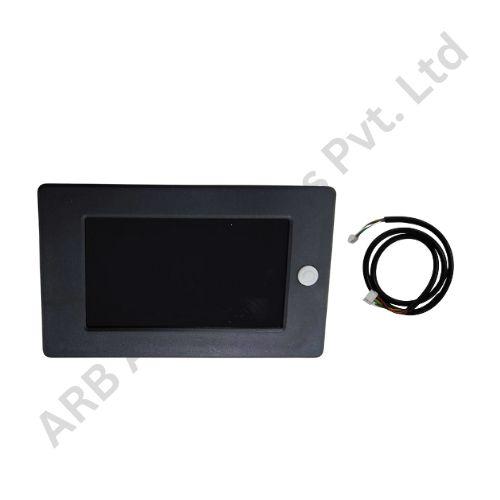
Key Feature
• 3.2-Inch LCD - A dedicated battery-panel display format.
• SOC Readout - Keep charge information accessible at the system.
• JK BMS Pairing - Select by the complete board and screen revision.
• Local Monitoring Point - Supports equipment-side battery checks.
• Distinct Size Variant - Separate from two-inch and 4.3-inch options.
₹678.00
JK 3.2-Inch Battery SOC Display
The JK 3.2-Inch Battery SOC Display provides a local LCD charge-status interface for a correctly matched JK BMS. Its screen size offers a separate panel option between the smaller catalogue displays and the 4.3-inch formats.
For an enclosure designer, the display can become a defined inspection point on the battery box or equipment panel. Selecting the screen at the same time as the BMS and housing helps coordinate the viewing position, mounting arrangement and accessory wiring before the panel is fabricated.
The display presents information supplied by the connected management system. Its SOC indication should be read as a charge estimate, not as a direct test of battery health, cell balance or guaranteed operating time. The management board and its configuration remain central to the quality of the information being shown.
Screen size does not identify the BMS generation. JK display families can have similar size designations while serving different management systems. The electrical connection, protocol and firmware pairing should therefore be treated as separate selection requirements rather than inferred from the phrase 3.2-inch display.
Check the exact screen label against the full JK BMS model and revision. In particular, distinguish smart-active-BMS display families from energy-storage equipment before choosing a replacement. A compatible display for one board family should not be assumed to work with another simply because the manufacturer name is the same.
Confirm the installation drawing, not only the visible diagonal. Review the cutout, mounting depth, connector position and cable exit around the proposed panel. For service work, compare the existing display and wiring record with the replacement. Keep any display-specific supply connection separate from battery-pack voltage assumptions when preparing the harness.
Applications
• Battery panels designed around a 3.2-inch LCD interface.
• Local charge checks on a verified JK BMS combination.
• Like-for-like replacement within the same display family.
• Battery-box development and enclosure integration.
• Commissioning tests of a matched board, screen and harness.
Installation Guide
Install the screen with power isolated and protect it from metal debris during panel work. Use the exact BMS and display wiring instructions and avoid adapting another screen's cable solely on the basis of connector appearance. Provide enough slack and strain relief for normal installation or cabinet-door movement.
During commissioning, compare the displayed SOC with the management system and check that the information updates. Verify the supported controls and restart behaviour for that revision. Keep the actual screen and BMS identities with the assembly documentation. When replacing either component later, repeat the compatibility check instead of assuming that the unchanged screen size proves an unchanged electrical interface.
Why Choose ARB Accessories?
ARB Accessories offers JK monitoring accessories alongside battery-management and pack-assembly components for Indian buyers. Provide the complete BMS model and revision, the display label and the intended mounting arrangement when enquiring. Matching these details at the purchasing stage helps distinguish similar-looking screens and keeps replacement parts consistent with the equipment already in use.
Product overview
JK 3.2-Inch Battery SOC Display The JK 3.2-Inch Battery SOC Display provides a local LCD charge-status interface for a correctly matched JK BMS.
- SKU
- 26000577
- Category
- Battery SOC Display
- Brand
- JKBMS
- Unit
- PCS
- Minimum order
- 1 PCS
- Availability
- In Stock
Review key features and technical specifications before ordering. Contact ARB Accessories if you need compatibility or bulk-order guidance.
Datasheet
Datasheet