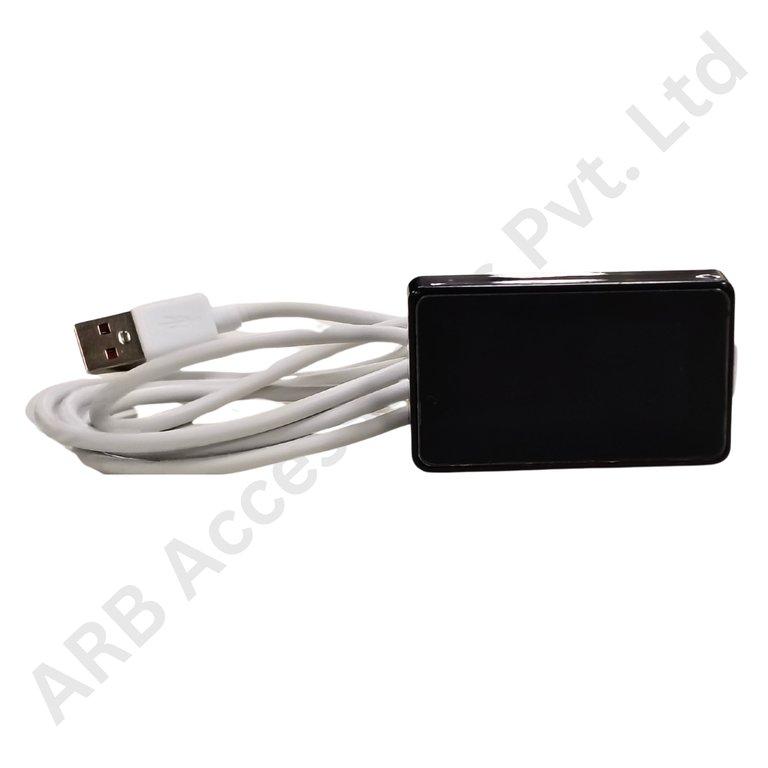
Key Feature
• 2.0-Inch Format - A compact local battery display option.
• USB Catalogue Variant - Kept distinct from the LY version.
• SOC Monitoring Role - Presents charge information for a matched system.
• JK System Accessory - Select around the supported BMS.
• Replacement Identification - Match the full display label and harness.
₹698.00
JK USB 2.0-Inch Battery SOC Display
The JK USB 2.0-Inch Battery SOC Display is the USB-designated compact display option for a compatible JK battery-management system. It provides a local battery-charge interface while remaining a separate catalogue item from the LY version.
Keeping the full variant name in the build specification is important. Two screens may share the same nominal size and brand yet require different connections or support different board generations. The selected display should therefore be identified by its complete label and approved use, not just by its appearance.
The USB designation in a product name should not be treated as proof of standard computer-display operation, USB video or phone-charger compatibility. Connector shape, electrical pin assignment, supply requirement and data protocol must all agree with the intended BMS connection.
A battery SOC screen presents an estimate of charge remaining from the matched system. It does not add charging capacity, balance the cells or replace a protective circuit. The displayed percentage also does not provide a fixed runtime guarantee, because the connected load and the battery's usable capacity change the duration of operation.
Compare the exact display model with the intended JK BMS revision and harness specification. Confirm the required input supply and signal arrangement independently; a cable that physically fits may still be unsuitable. Do not transfer Bluetooth, RS485 or button-control behaviour from the LY manual to the USB-designated unit.
For a new enclosure, check the mounting drawing, rear clearance and cable route before cutting the panel. For a replacement, retain the original screen and record its label, connector and wiring arrangement. Keeping these details together helps the service team obtain the intended equivalent rather than a different two-inch accessory with similar front-panel styling.
Applications
• Compact battery projects specifying the JK USB display variant.
• Local SOC indication with a verified board and screen pairing.
• Replacement of an identified equivalent USB-designated unit.
• Battery-box interfaces with a two-inch space allocation.
• Commissioning checks before releasing a matched display assembly.
Installation Guide
Have a qualified installer confirm the unit-specific documentation before connecting the display. Isolate the battery, protect exposed terminals and avoid testing unknown pins with an arbitrary supply. Do not connect the screen to a computer or consumer charger unless its documentation explicitly supports that use.
Commission the display with the approved BMS and check that the charge information agrees with the management system. Verify normal updating and restart behaviour, and test only the controls documented for the delivered model. Record the actual model identity and successful harness arrangement. A blank or incorrect readout should be investigated systematically as a supply, wiring or compatibility issue, not immediately interpreted as a battery-capacity problem.
Why Choose ARB Accessories?
ARB Accessories offers JK monitoring accessories alongside battery-management and pack-assembly components for Indian buyers. Provide the complete BMS model and revision, the display label and the intended mounting arrangement when enquiring. Matching these details at the purchasing stage helps distinguish similar-looking screens and keeps replacement parts consistent with the equipment already in use.
Product overview
JK USB 2.0-Inch Battery SOC Display The JK USB 2.0-Inch Battery SOC Display is the USB-designated compact display option for a compatible JK battery-management system.
- SKU
- 26000575
- Category
- Battery SOC Display
- Brand
- JKBMS
- Unit
- PCS
- Minimum order
- 1 PCS
- Availability
- In Stock
Review key features and technical specifications before ordering. Contact ARB Accessories if you need compatibility or bulk-order guidance.
Datasheet
Datasheet