Key Feature
• LD07 Catalogue Variant - Identify the required JBD display item.
• SOC Indication - View charge status at the battery system.
• Local Readout - Place battery information near the operator.
• JBD Monitoring Accessory - Pair with an approved management board.
• Build-Specific Fit - Select the harness and mounting together.
₹680.80
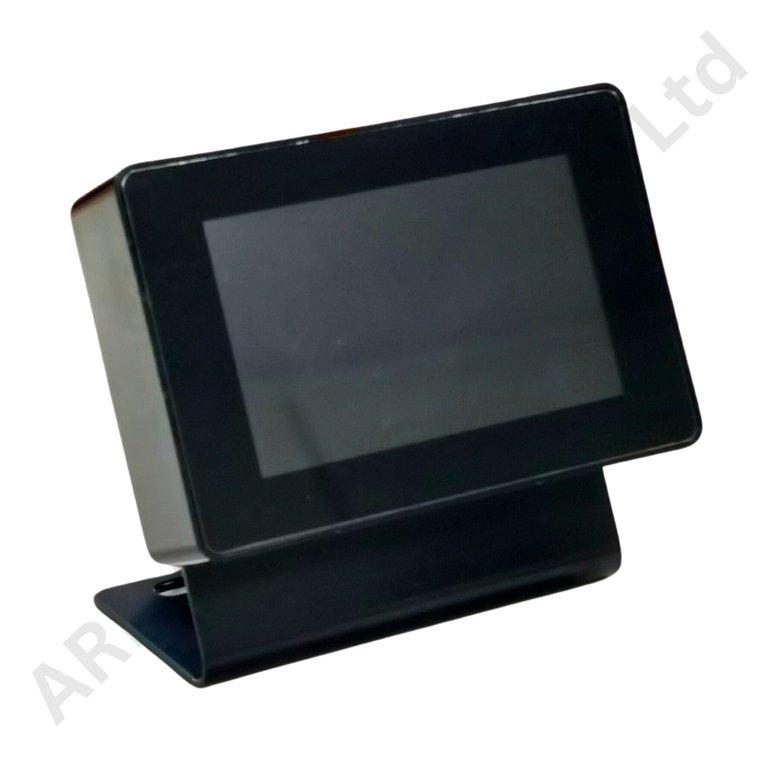
JBD LD07 Battery SOC Display
The JBD LD07 Battery SOC Display is a local battery charge-status accessory for a compatible JBD management system. It gives an equipment operator a dedicated place to check battery information without opening the battery enclosure.
For an assembler or service team, the display model is as important as the BMS brand. Retaining LD07 as the catalogue identity helps distinguish the requested item from JBD's small wired screens and larger touch displays. The complete unit label should remain associated with the build and its spare-parts record.
The display's role is to present the charge information made available by the paired system. It is not a replacement for a BMS, a battery charger or a device that independently tests remaining battery capacity. A meaningful SOC indication depends on the battery-management configuration and the quality of its underlying measurements.
A battery percentage should also not be read as a fixed promise of runtime. Actual operating time changes with the connected load and the usable capacity of the battery. Keeping that distinction clear is useful when explaining a local display to an equipment user or preparing product instructions.
Match the exact display label and revision to the intended JBD BMS before choosing the connection arrangement. Establish whether the supplied unit uses a wired data link or a wireless pairing procedure, and identify the separate power requirements. These details should come from the unit-specific documentation rather than from another screen in the same brand family.
Select the mounting style around the actual application: a battery-box face, an equipment panel or an approved vehicle mounting point. Check the supplied fastener arrangement, cable exit and available clearance. Keep the readout visible while ensuring that the mounting and wiring do not interfere with the normal operation of the equipment.
Applications
• Local charge indication on a correctly paired JBD battery system.
• Battery-enclosure display projects with approved mounting.
• Equipment panels needing operator-accessible battery status.
• Service identification and replacement of an LD07 unit.
• Commissioning checks for a matched BMS and display.
Installation Guide
Isolate the supply while mounting the display and preparing its wiring. Use only the connection or pairing procedure approved for the actual display revision. Check supply polarity, electrical limits and connector functions before energising the unit; a communication method does not by itself establish how the screen receives power.
After setup, compare the charge reading with the BMS and confirm that information updates normally. For a paired system, verify that the displayed data belong to the intended battery rather than a nearby unit. Record the pairing or wiring arrangement and test restart behaviour before handing the equipment to its operator.
Why Choose ARB Accessories?
ARB Accessories brings JBD battery-management accessories together with cells, connectors and assembly consumables for Indian battery businesses. Share the BMS model, display variant and required cable arrangement when making an enquiry. This makes the purchase more specific and helps keep the chosen screen, communication connection and battery enclosure aligned with the same build specification.
Product overview
JBD LD07 Battery SOC Display The JBD LD07 Battery SOC Display is a local battery charge-status accessory for a compatible JBD management system.
- SKU
- 26000566
- Category
- Battery SOC Display
- Brand
- JBD
- Unit
- PCS
- Minimum order
- 1 PCS
- Availability
- In Stock
Review key features and technical specifications before ordering. Contact ARB Accessories if you need compatibility or bulk-order guidance.
Datasheet
Datasheet